How to Transfer Funds from Fomo to Cap
Sep 15, 2026
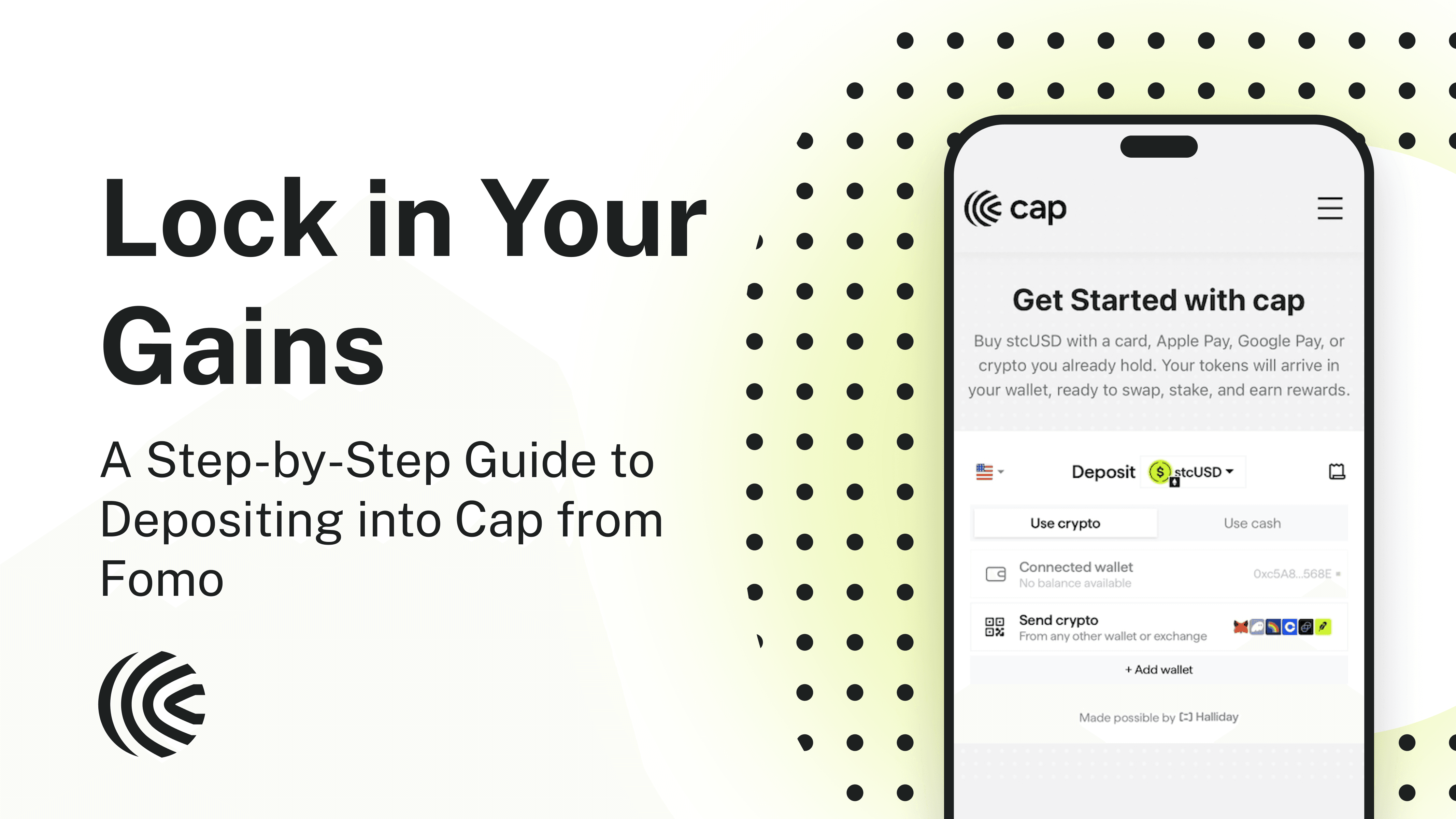
You've been trading on Fomo, your PnL is up. But now you want to park your gains somewhere they earn a stable, consistent yield. Now you can, and in a few taps you can move your funds from Fomo into Cap and land directly into its yield-bearing asset stcUSD. No bridging or topping off gas needed. All you need is a wallet with an address and you are ready to go.
The whole process runs through Halliday, which handles the routing and deposits you into stcUSD seamlessly.
Now here's what Cap is, why it matters, and the exact how-to guide on how to do it.
What you're moving into
Cap is a credit platform powered by funded underwriting and backed by Franklin Templeton. When you hold stcUSD, you're holding the staked version of cUSD, Cap's dollar-denominated stablecoin, and earning yield generated by loans that each have a funded underwriter posting their own capital on the line. When borrowers generate yield for depositors, underwriters earn a premium for their sound judgment. If a borrower fails to deliver, you as the depositor are covered. It's the funded underwriter who made the call, so it's their posted collateral that gets penalized. Hence the "funded" in funded underwriting.
This is a real departure from most yield products, where you often don't know who is making the decision, how you're protected and what recourse you can take when something goes wrong. There is an implicit promise, but as a depositor you're usually in the dark. With Cap, the promise is explicit, transparent, and enforced in code. And because Cap runs on a network of funded underwriters, it can scale in ways not seen before to a wide range of industries.
stcUSD is liquid. You can unstake to cUSD and redeem for USDC whenever you want with zero lock-up period.
Before you start
You'll need:
Funds in your Fomo wallet. You'll be withdrawing dollars as USDC from Fomo.
A wallet that can receive USDC on Ethereum. Phantom, MetaMask, or Rabby on desktop or mobile all work.
Just a few minutes, depending on how quickly the transaction settles.
Step by step (mobile)
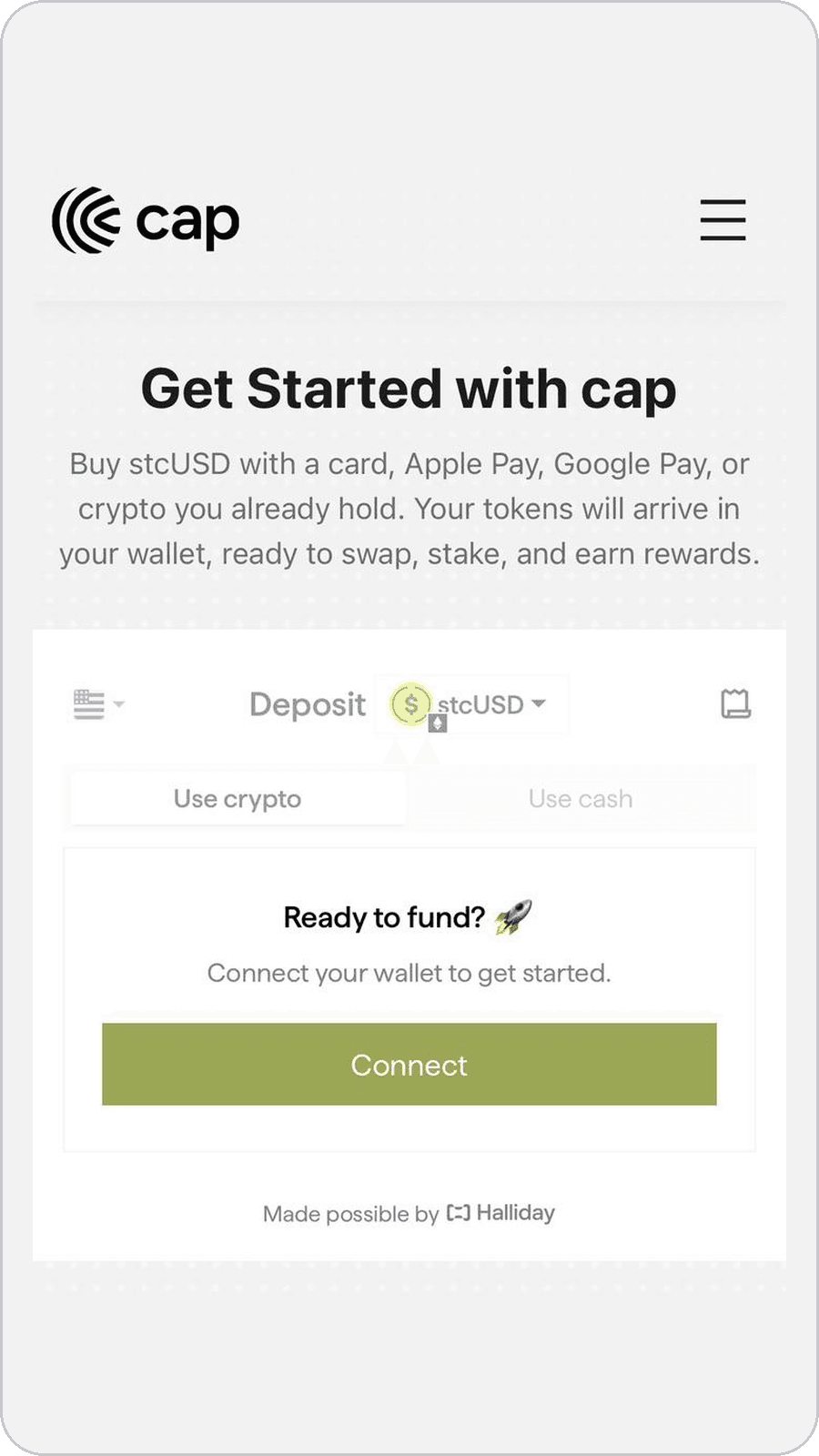
Go to cap.app/get-started and press Connect under the Use crypto tab. This page is powered by Halliday, which handles all the routing behind the scenes.
Step 1: The Cap get-started page
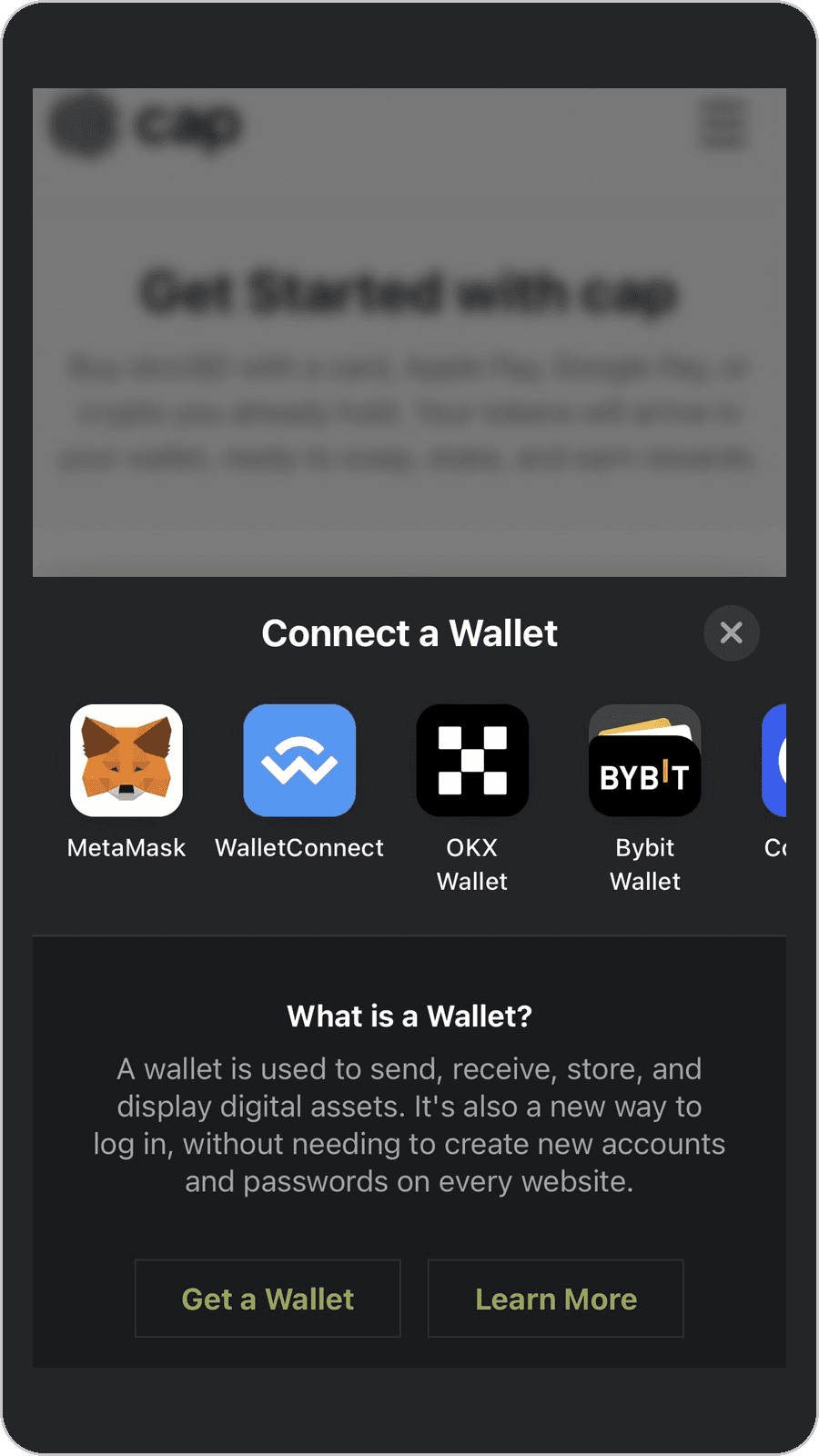
Choose your wallet and connect. This is the wallet your stcUSD will land in, so make sure it is one you control.
Step 2: Pick your wallet
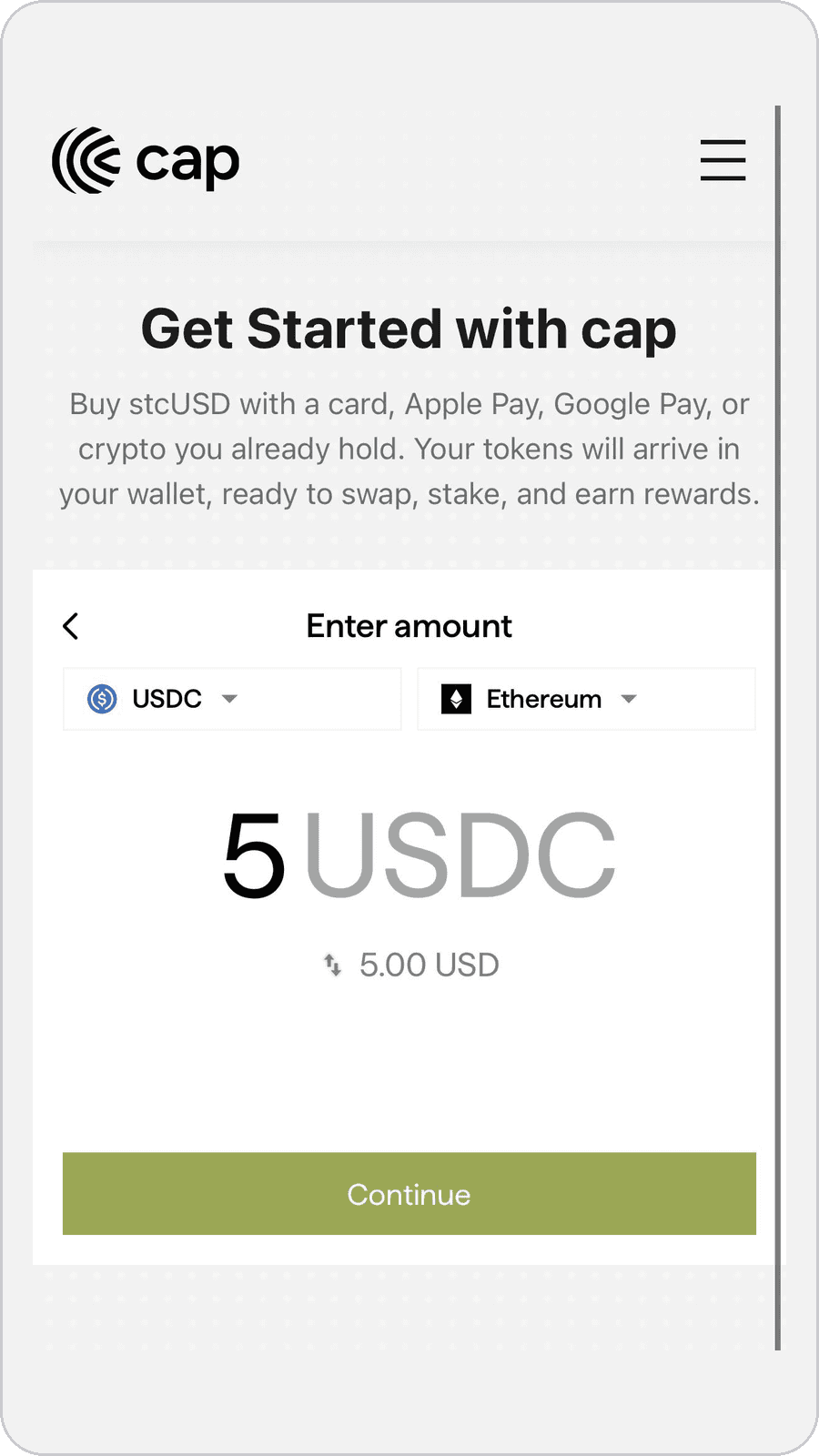
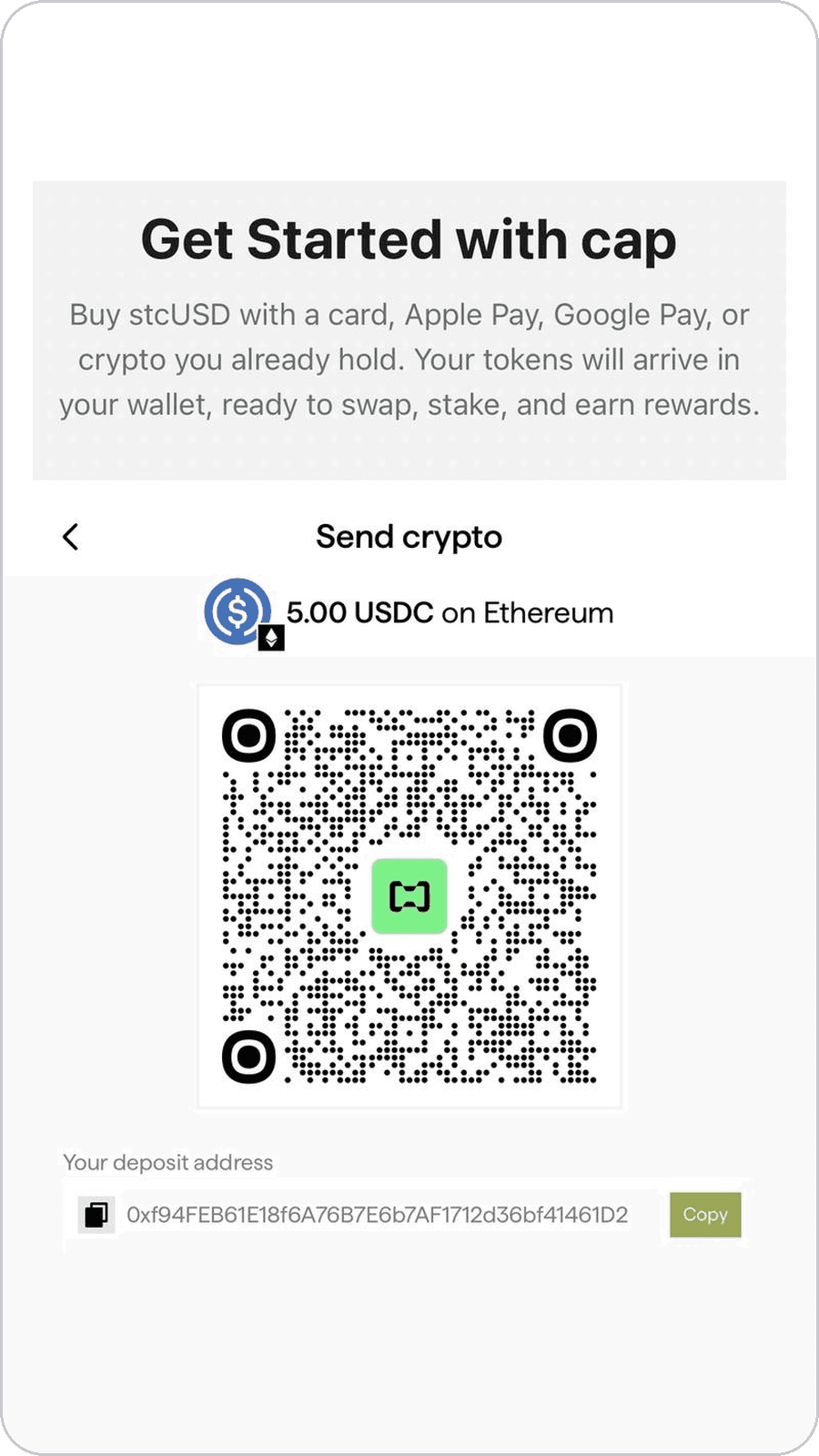
Enter how much you want to move. Make sure the asset and network are set to USDC on Ethereum. Cap shows you an estimate of the stcUSD you will receive. Press Continue and copy the deposit address on the next page. This is the address Halliday watches for your incoming USDC, so keep it handy for the next steps.
Step 3: Enter your amount (left), then copy your deposit address (right)
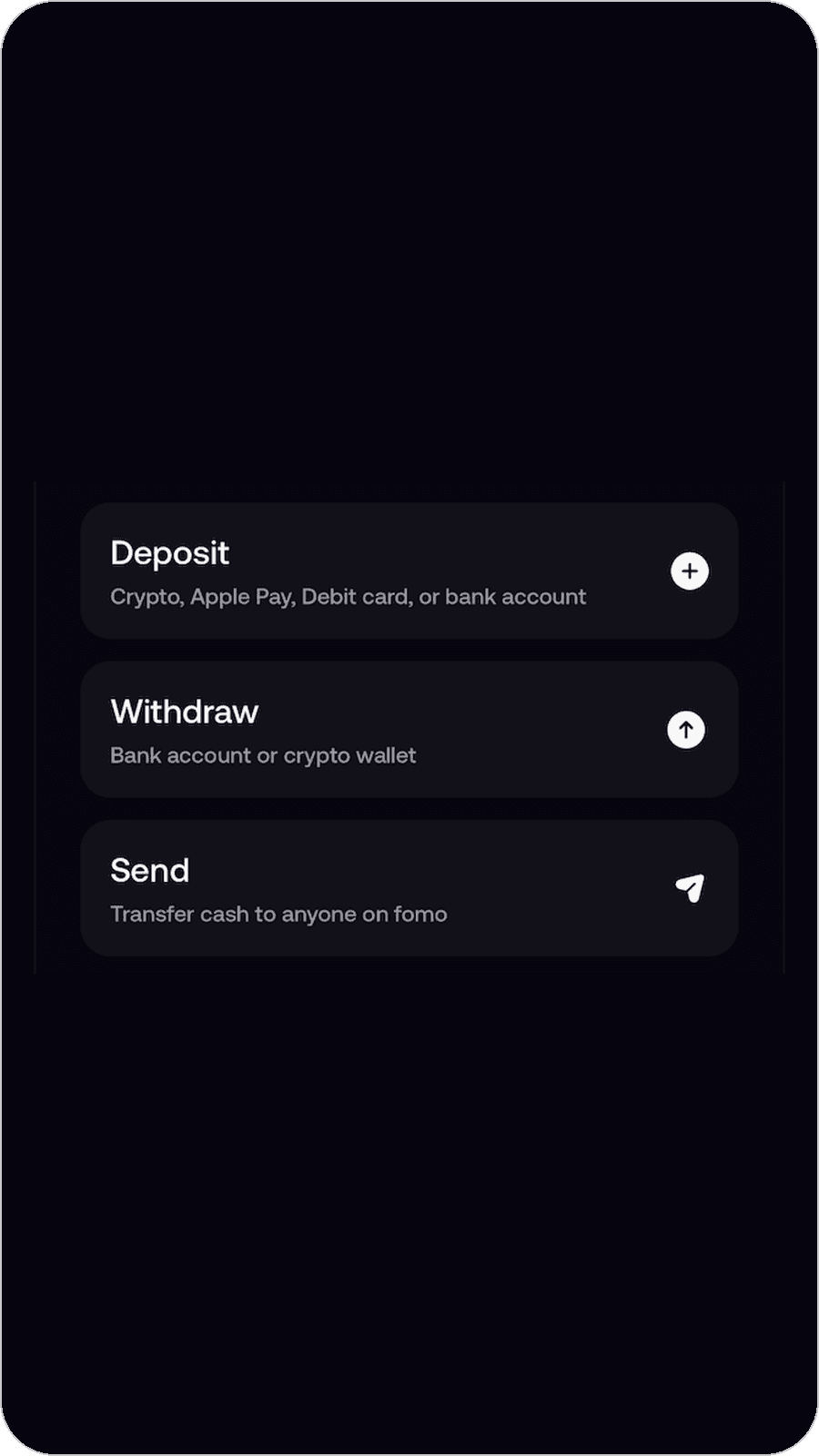
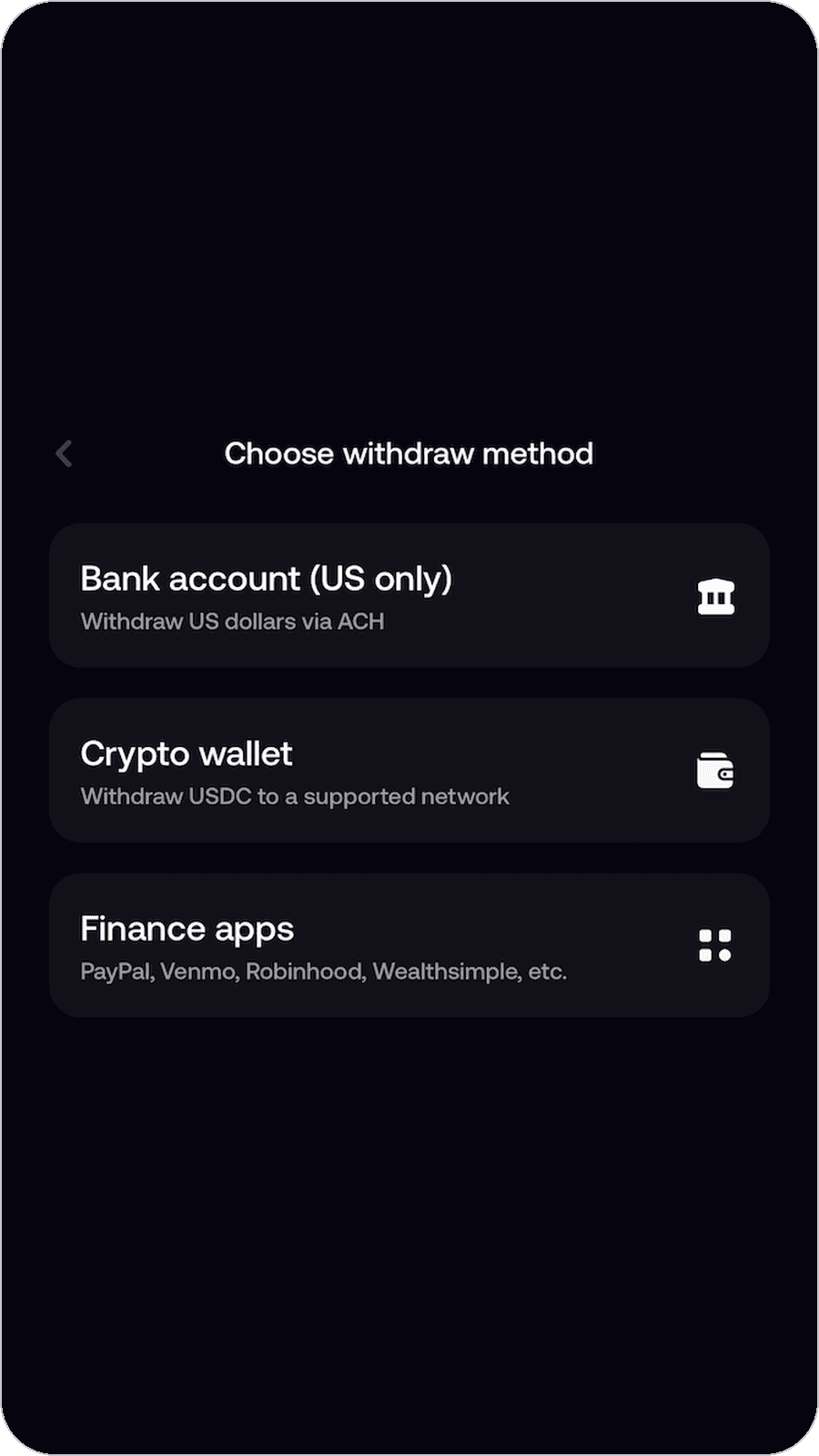
Switch over to the Fomo app. In the bottom right, tap the three dots next to the + button, then select Withdraw and choose Crypto wallet.
Step 4: Tap the three dots (left), select Withdraw (middle), then choose Crypto wallet (right)
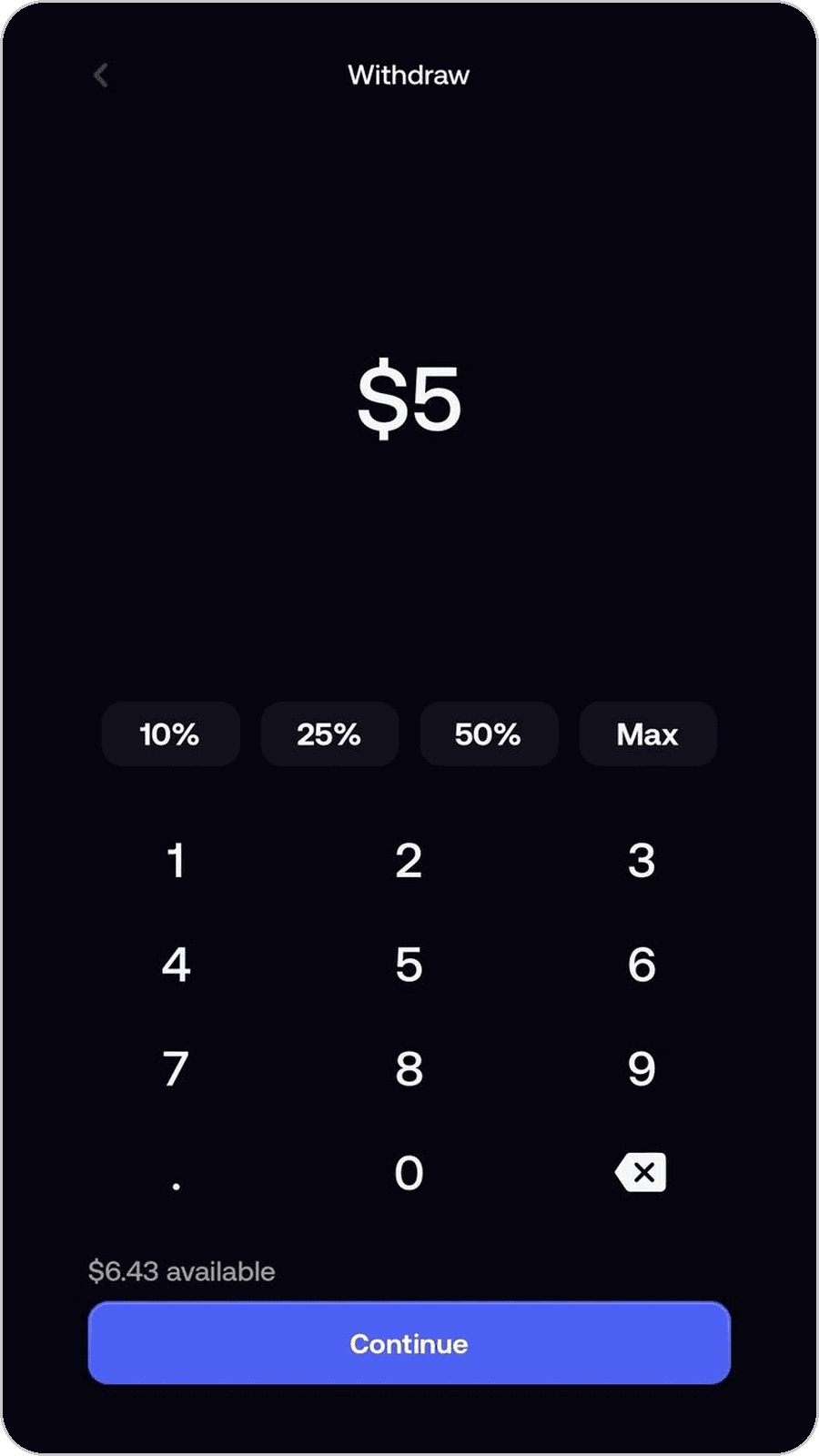
Enter the amount you want to withdraw and tap Continue. For the cleanest match, use the same amount you entered on Cap.

Step 5: Choose your withdrawal amount
Tap the network selector (it may default to Solana or another chain) and switch it to Ethereum. Paste the deposit address you copied from Cap, then tap Review. Fomo will remind you that you are sending Ethereum USDC and to only withdraw to an address you control. That is exactly what you want here. Double-check the network says Ethereum before moving on.
Step 6: Set the network to Ethereum and paste your Cap deposit address
Slide the bar to the right to confirm. Fomo shows the withdrawal processing. Nothing more to do on this side.
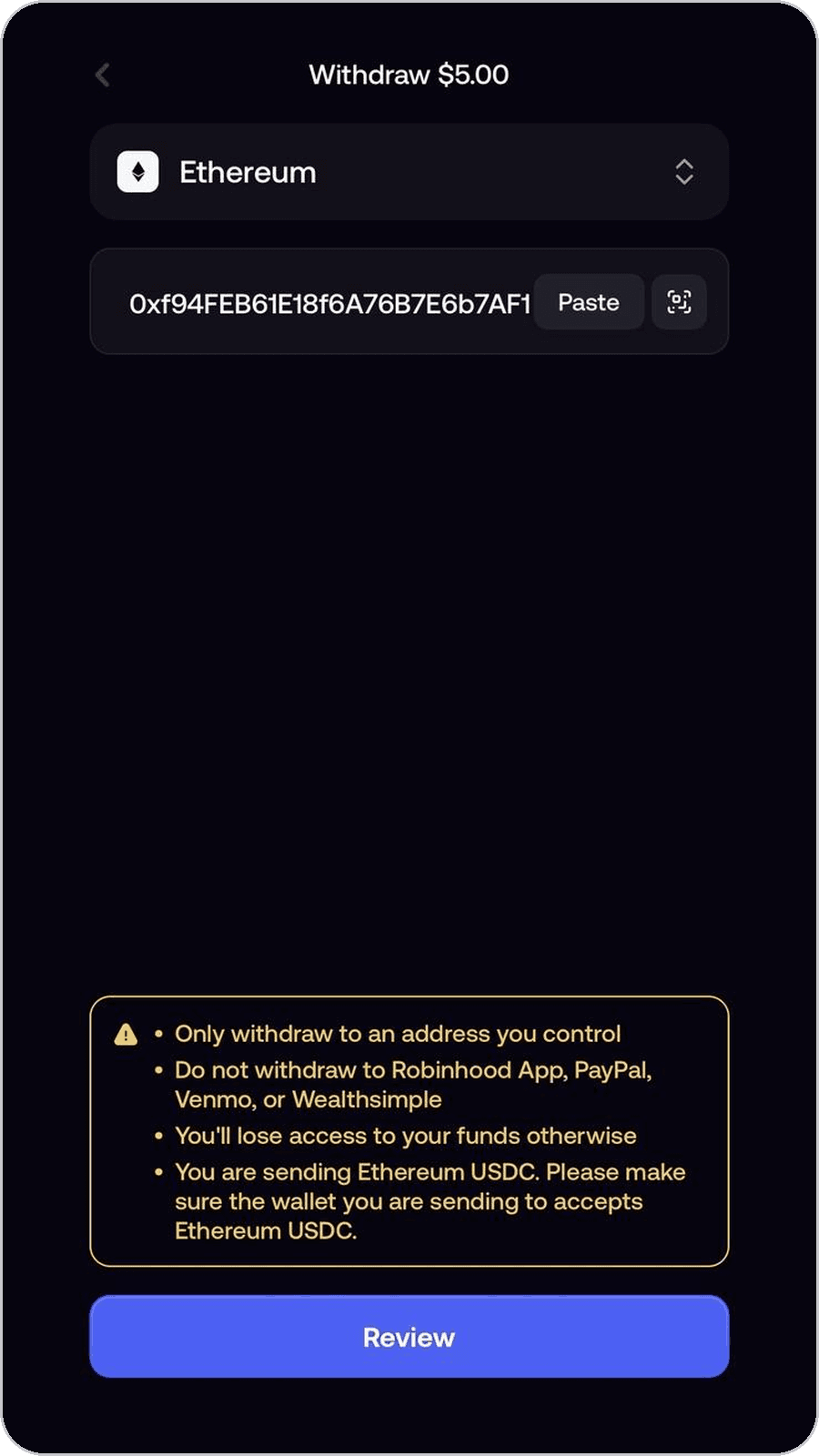
Step 7: Withdrawal processing
Switch back to the Cap page. You will see your order in progress, with the USDC you sent on one side and the stcUSD you will receive on the other. Once your USDC lands, Halliday takes over: it swaps into cUSD and stakes into stcUSD in one flow, and the status updates live as it goes. This usually takes a few minutes depending on how quickly Ethereum settles.
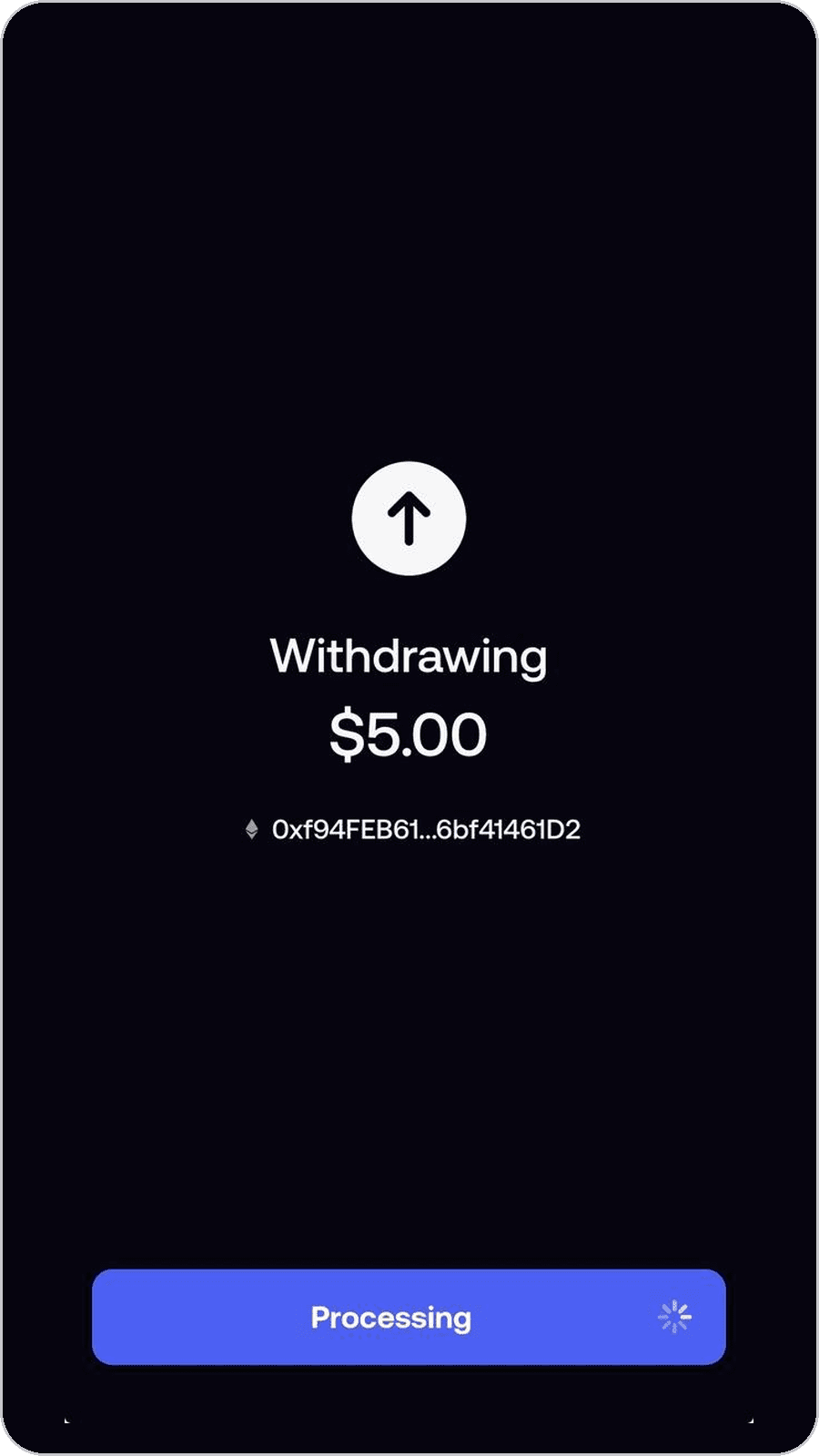
Step 8: Order in progress on Cap
You're all set. When the order completes, stcUSD arrives in the wallet you connected. To confirm, connect that wallet at cap.app/swap and your stcUSD balance and current yield will show at the top. You can also check the Cap swap page or your wallet directly. That is it. You are earning.
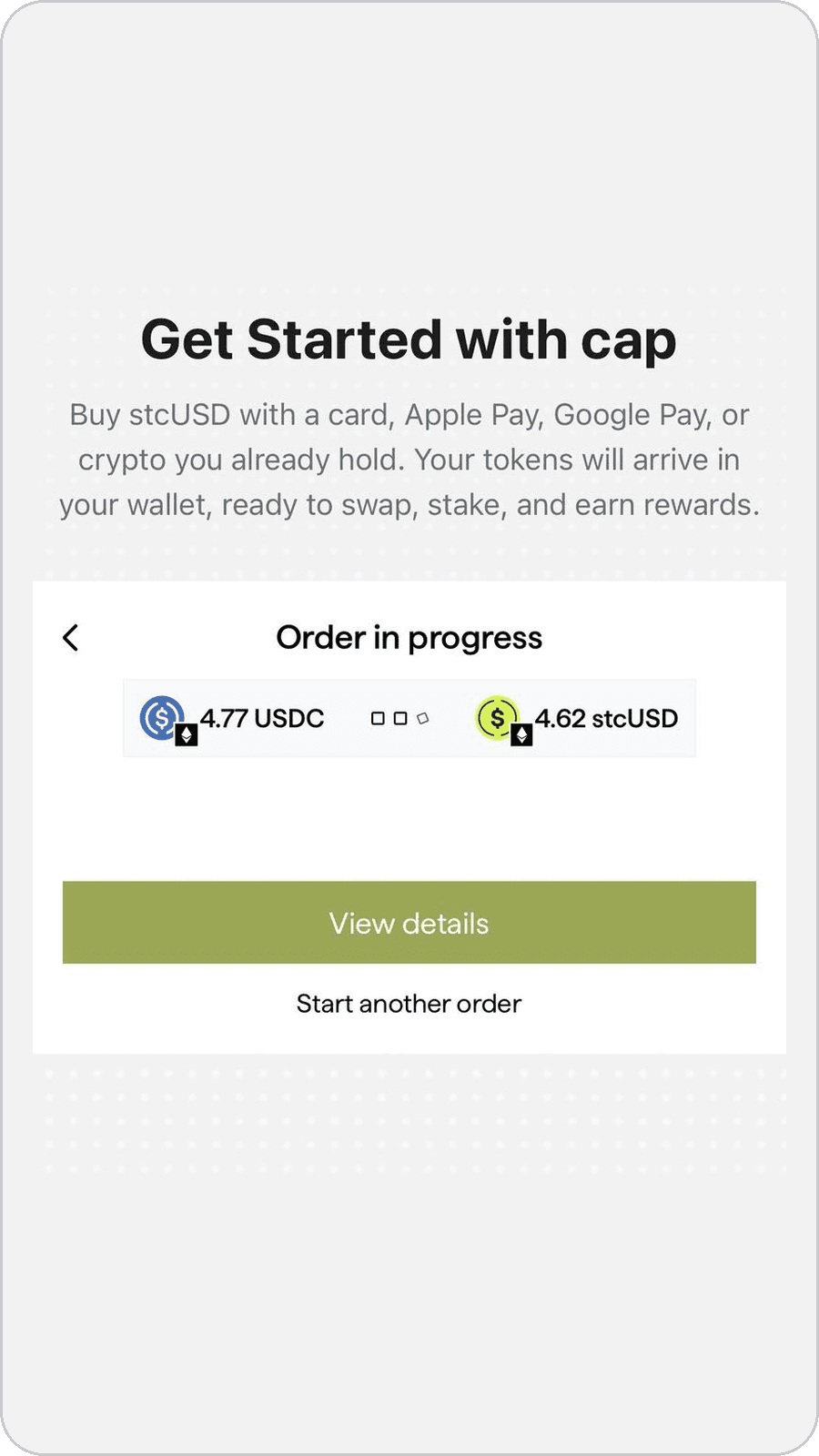
Step 9: Done. You're earning.
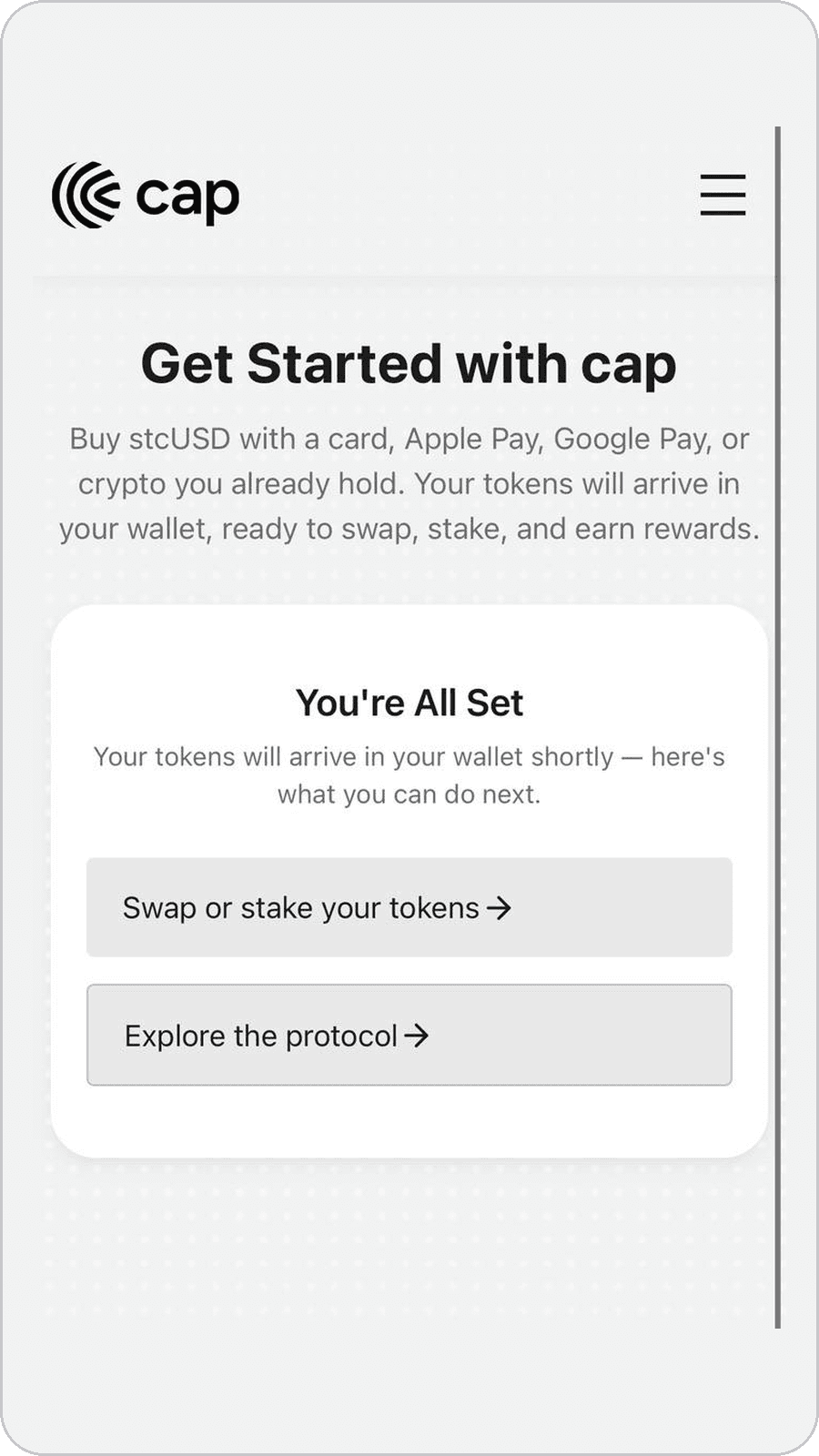
What's happening under the hood
Halliday simplifies the entire deposit process. You say "I have dollars on Fomo, I want stcUSD," send once, and it runs every leg and delivers the end asset to your wallet. No intermediary steps are necessary, just a simple USDC to stcUSD conversion.
Troubleshooting
My order is taking longer than expected. Ethereum occasionally congests. The Cap get-started page shows live status; as long as your order says "in progress," your funds are moving. If it has been more than 15 minutes, reach out in Cap's Discord with your transaction hash from Fomo.
I sent the wrong amount. Don't send a second transaction to the same address. Reach out in Discord with your transaction hash and the amount you entered on Cap, and the team will sort it out.
I don't see stcUSD in my wallet. First check that your wallet is viewing Ethereum mainnet. If it is, connect the same wallet at cap.app and your stcUSD balance will show there; you can also add the token to your wallet manually using the contract address listed in the Cap docs.
Why this matters
Fomo is where you are active and trade while Cap is where you deposit and chill. Now you can go back and forth between the two.
Until now, taking profit meant choosing between two bad options. Leave the gains sitting as cash in the app, earning nothing while you wait for the next setup. Or move them into a yield product where you can't see who is making the credit decision, what happens if a borrower fails, or how long your money is locked up.
stcUSD removes the trade-off. Your yield comes from loans where a funded underwriter has posted their own capital behind the call, and if a borrower doesn't deliver, it is the underwriter's collateral that gets hit, not your deposit. There is no lock-up. When the next trade shows up, you unstake to stcUSD, redeem for USDC, and send back in Fomo.
Resources: docs.cap.app · Discord · @CapApp